이번에는 지난번에 출력한 URL 에 직접 접속하도록 해보자.
Go
func getPage(page int) {
	pageURL := baseURL + "&start=" + strconv.Itoa(page*50)
	fmt.Println("Requesting", pageURL)

	res, err := http.Get(pageURL)

	checkErr(err)
	checkCode(res)

	defer res.Body.Close()

	doc, err := goquery.NewDocumentFromReader(res.Body)
	checkErr(err)

	searchCards := doc.Find(".jobsearch-SerpJobCard")

	searchCards.Each(func(i int, s *goquery.Selection) {
		id, _ := s.Attr("data-jk")
		fmt.Println(id)
	})
}
수정한 getPage function 을 보면 checkErr, checkCode function 을 사용해서 오류를 확인하고
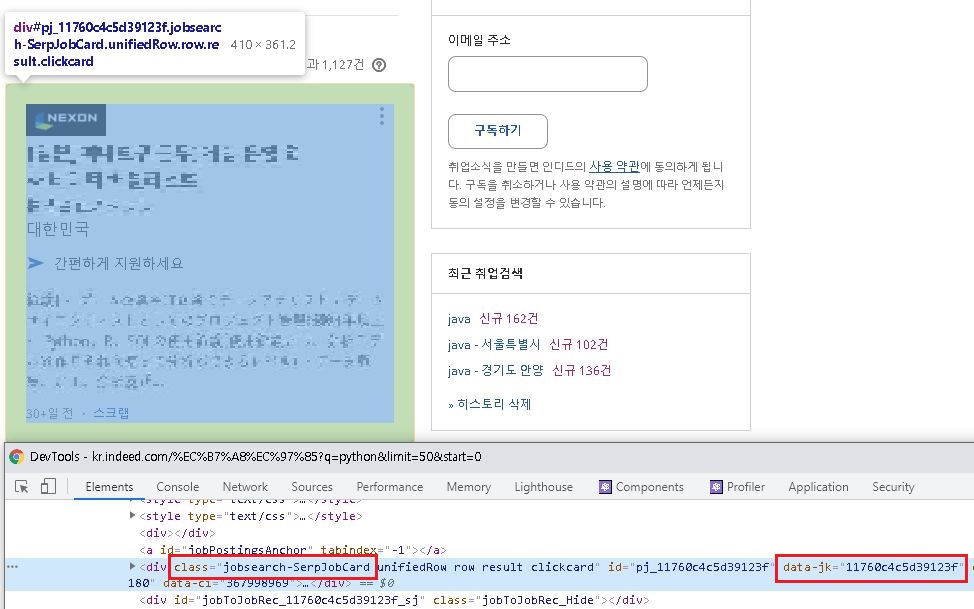
각 페이지에서 ".jobsearch-SerpJobCard" 클래스를 찾은 다음, 각각의 요소에 대해 "data-jk" attribute 값을 id 변수에 담아 출력하고 있다.
".jobsearch-SerpJobCard" 와 "data-jk" 라는 값은 현재 이 페이지에 적용되어 있는 값이다.
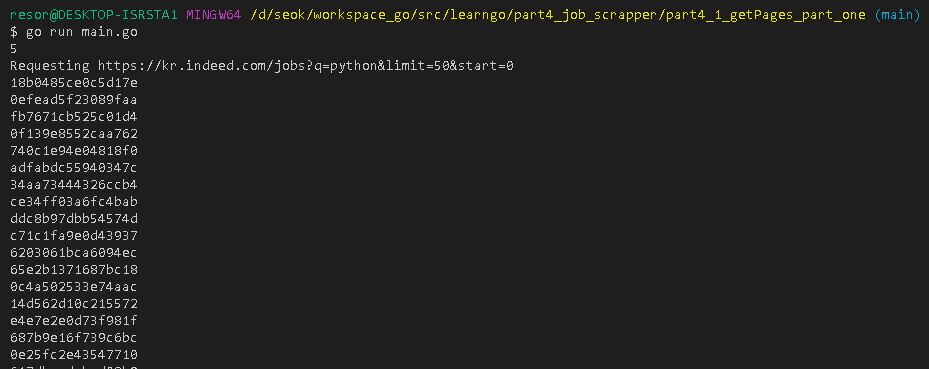
실행해보면 다음과 같이 각각의 card 에 대해 data-jk 값이 수집되어 출력된 것을 볼 수 있다.
이렇게 추출해올 데이터를 관리하기 편하게 struct 를 만들어보자.
Go
type extractedJob struct {
	id       string
	title    string
	location string
	salary   string
	summary  string
}
이 struct 를 사용해서 데이터를 관리하는 내용은 다음 포스트에서 다룬다.
지금까지 작성한 main.go 파일의 내용은 다음과 같다.
Go
package main

import (
	"fmt"
	"log"
	"net/http"
	"strconv"

	"github.com/PuerkitoBio/goquery"
)

type extractedJob struct {
	id       string
	title    string
	location string
	salary   string
	summary  string
}

var baseURL string = "https://kr.indeed.com/jobs?q=python&limit=50"

func main() {
	totalPaces := getPages()
	fmt.Println(totalPaces)

	for i := 0; i < totalPaces; i++ {
		getPage(i)
	}
}

func getPage(page int) {
	pageURL := baseURL + "&start=" + strconv.Itoa(page*50)
	fmt.Println("Requesting", pageURL)

	res, err := http.Get(pageURL)

	checkErr(err)
	checkCode(res)

	defer res.Body.Close()

	doc, err := goquery.NewDocumentFromReader(res.Body)
	checkErr(err)

	searchCards := doc.Find(".jobsearch-SerpJobCard")

	searchCards.Each(func(i int, card *goquery.Selection) {
		id, _ := card.Attr("data-jk")
		title := card.Find(".title > a").Text()
		location := card.Find(".sjcl").Text()

		fmt.Println(id, title, location)
	})
}

func getPages() int {
	pages := 0
	res, err := http.Get(baseURL)

	checkErr(err)
	checkCode(res)

	defer res.Body.Close()

	/*
	 * res.body 는 기본적으로 byte 데이터 IO 를 하기 때문에
	 * 사용한 다음에 자원 해제 (close) 해줘야 한다.
	  * 메모리 누수를 막기 위해 defer 구문을 사용해서 닫아준다.
	*/
	doc, err := goquery.NewDocumentFromReader(res.Body)

	checkErr(err)

	doc.Find(".pagination").Each(func(i int, s *goquery.Selection) {
		pages = s.Find("a").Length()
	})

	return pages
}

// err 가 있으면 프로그램 종료
func checkErr(err error) {
	if err != nil {
		log.Fatalln(err)
	}
}

// response status 가 200 (정상) 이 아니면 프로그램 종료
func checkCode(res *http.Response) {
	if res.StatusCode != 200 {
		log.Fatalln("Request failed with Status:", res.Status)
	}
}
이 코드를 실행하면 52 라인의 fmt.Println 에서 출력하고 있는 id, title, location 이 출력되는 것을 볼 수 있다.
수집하려는 DOM 요소의 태그 속성에 대해서는 개발자 도구를 사용해서 하나씩 확인해볼 수 밖에 없다.
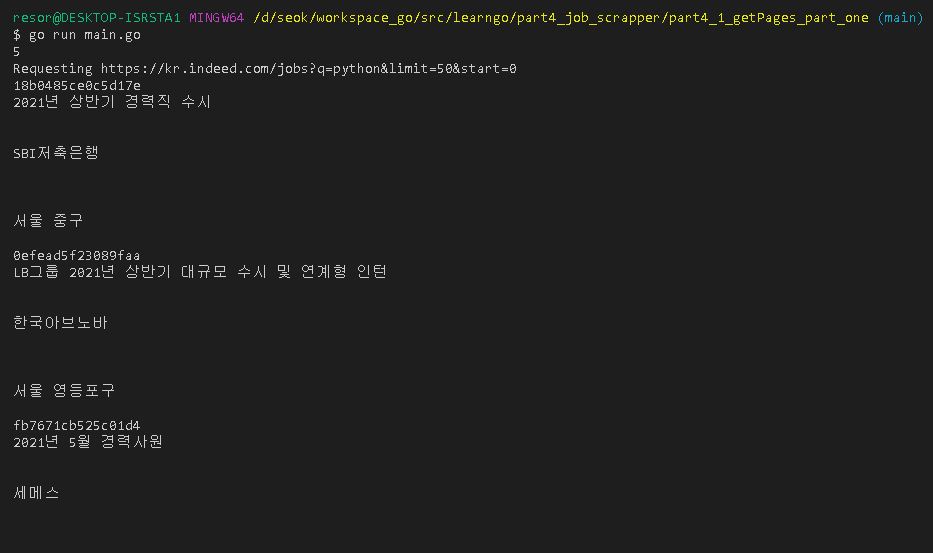
마지막으로, 실행 결과를 보면 빈 줄이 너무 많은데, 애초에 데이터가 그렇게 생겼기 때문이다.
이런 빈 줄에 대한 정리를 포함해서 데이터 수집하는 내용에 대해서 다음 포스팅에서 정리 한다.